- Siemens SIPROTEC 4 & DIGSI 4 TrainingLearn how to confidently engineer, configure, and maintain Siemens SIPROTEC 4 protection relays using DIGSI 4 through practical, step-by-step training.This course is designed for protection, commissioning, and substation automation engineers who want to develop practical skills in configuring SIPROTEC 4 relays. Starting with software installation and hardware connections, the course progresses through relay engineering, parameter settings, CFC programming, online diagnostics, and real project applications.The training also includes updated modules covering SIPROTEC 4 relay families, engineering workflow, signal configuration, online monitoring, and practical relay configuration examples.What You Will Learn
- Install and configure DIGSI 4Overview of Siemens SIPROTEC 4 relay familiesRelay communication and wiringProject creation and relay engineeringArchive, export, and import projectsMasking I/O configurationCFC (Continuous Function Chart) programmingProtection logic and interlockingPower system data and setting groupsOscillographic fault recordsEvent logs, trip logs, and online measurementsTime synchronization and communication interfacesFirmware updates and device driversPractical relay configuration using real engineering projectsBasic configuration of the SIPROTEC 7UT6 transformer protection relay
- Protection EngineersCommissioning EngineersSubstation Automation EngineersMaintenance EngineersElectrical EngineersUtility EngineersElectrical Engineering Students
- Duration: 5.5+ hours of pre-recorded trainingPractical engineering approachStep-by-step DIGSI 4 demonstrationsReal project configuration examplesOnline diagnostics and troubleshootingLifetime access with free future updatesOffline accessCertificate of Completion
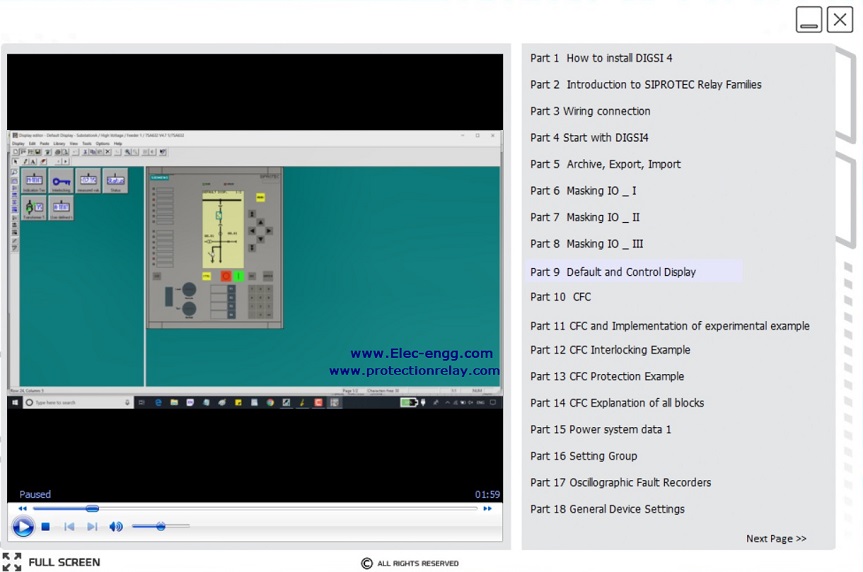
DIGSI 4 training will take you through the key stages of working with DIGSI 4 using practical examples. This video-based course is designed for electrical engineers who want to understand the fundamentals of configuring SIPROTECT 4 with DIGSI 4.
Course topics
- Part 1 (01:57): How to install DIGSI 4
- Part 2 (06:50): Introduction to SIPROTEC Relay Families
- Part 3 (03:02): Wiring Connection
- Part 4 (19:12): Start with DIGSI
- Part 5 (12:36): Archive, Export, Import
- Part 6 (11:00): Masking I/O
- Part 7 (04:51): Masking I/O
- Part 8 (13:08): Masking I/O
- Part 9 (16:21): Default and Control Display
- Part 10 (11:57): CFC
- Part 11 (07:59): CFC and Implementation of Experimental Example
- Part 12 (04:26): CFC Interlocking Example
- Part 13 (04:13): CFC Protection Example
- Part 14 (11:01): CFC Explanation of all blocks
- Part 15 (08:34): Power system data 1
- Part 16 (19:13): Setting Group
- Part 17 (03:06): Oscillographic Fault Recorders
- Part 18 (04:39): General Device Settings
- Part 19 (03:40): Time Synchronization and Interfaces
- Part 20 (09:04): Device Driver and Firmware Update
- Part 21 (14:36): Config SIPROTEC relay in a Practical Project
Course Updates:
- U01: SIPROTEC 4 relays and SIPROETC 4 functions (34 minutes)
- U02: DIGSI 4 and relay configuration steps (30 minutes)
- U03: SIPROTEC 4 signals and DIGSI 4 masking IO (18 minutes)
- U04: Connect to SIPROTEC 4, DIGSI 4 online mode, event log, trip log, measurement, and fault recorder (17 minutes)
- U05: SIPROTEC 7UT6 config & setting (10 minutes)