Common Errors:
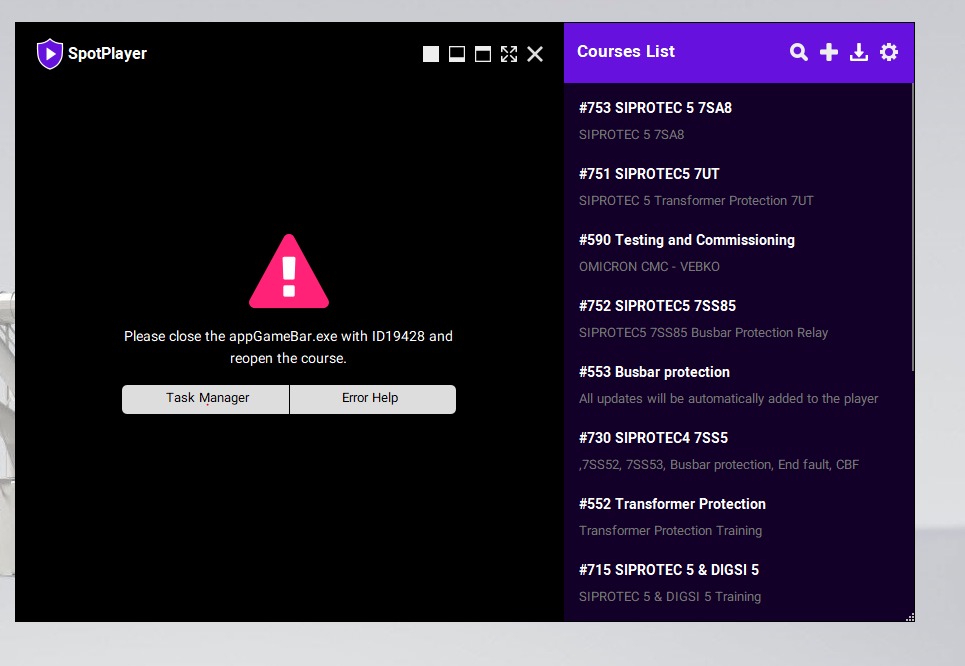
The SpotPlayer may not open certain content if Ocam, AnyDesk, Game Bar, or any screen recorder is running. Please close these applications, then reopen the course. If you still encounter errors, you can quit these apps using any of the methods below:
Method 1: Open the Task Manager, sort the apps by name, find Game Bar, select it, and click End Task.
Method 2: Sort the applications by PID, find 19428, and right-click on it, select End Task
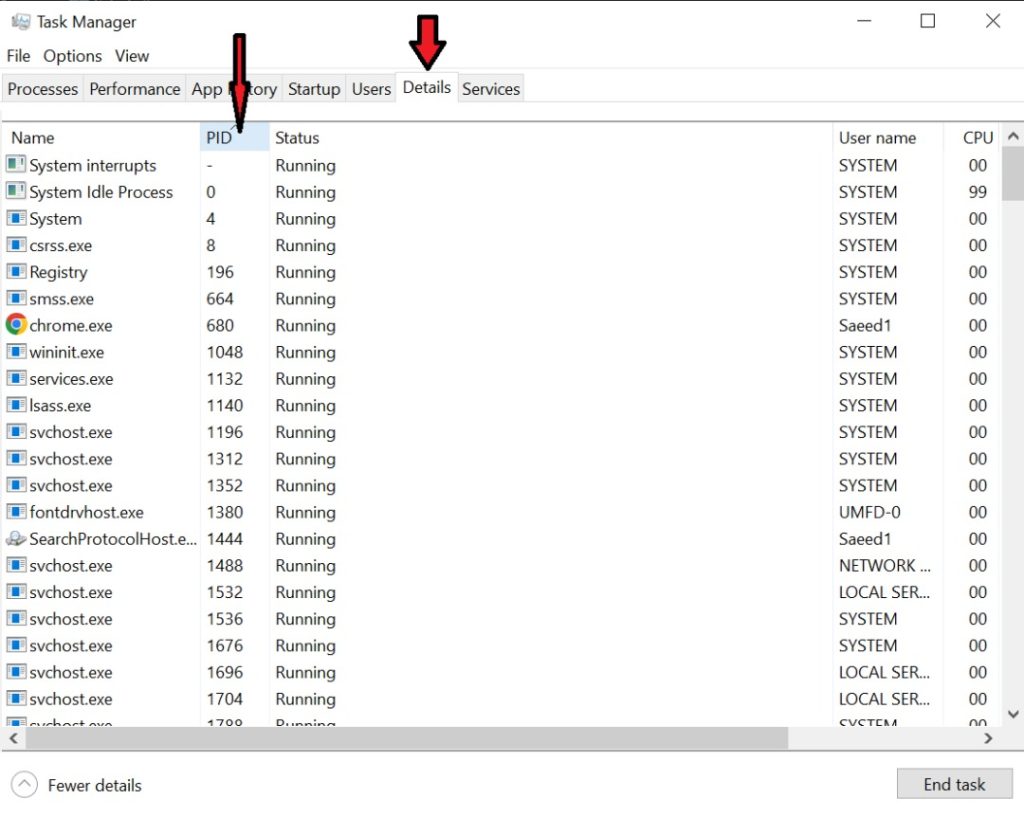
Method 3: Close the applications with an ID number:
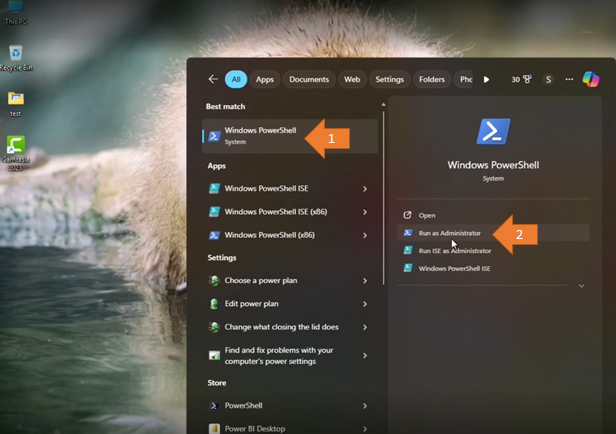
Open Windows PowerShell
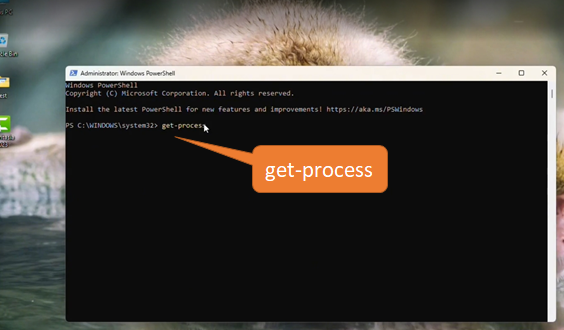
Enter get-process to see all open applications on your system.
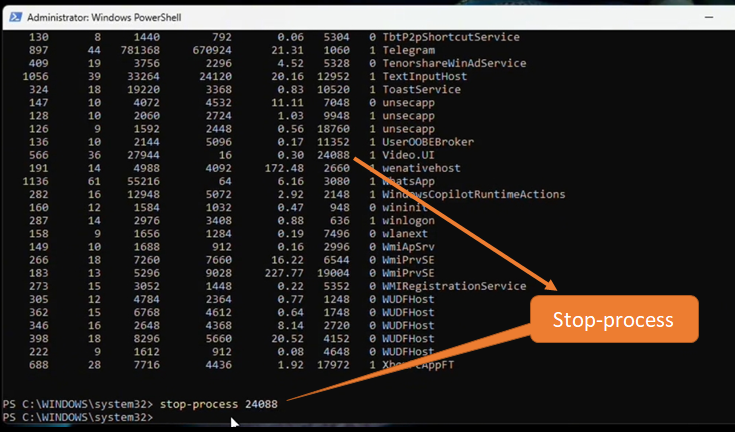
Enter stop-process XXX (instead of xxx, you should enter the application ID which is in the error message)
Click the course again and enjoy the course.
Please feel free to contact us if you have any queries or feedback.

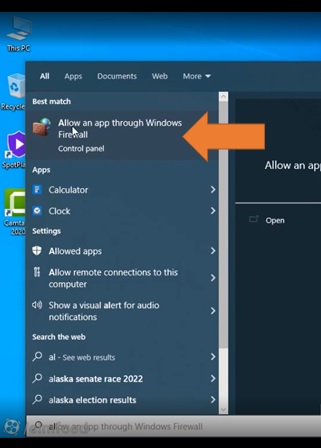
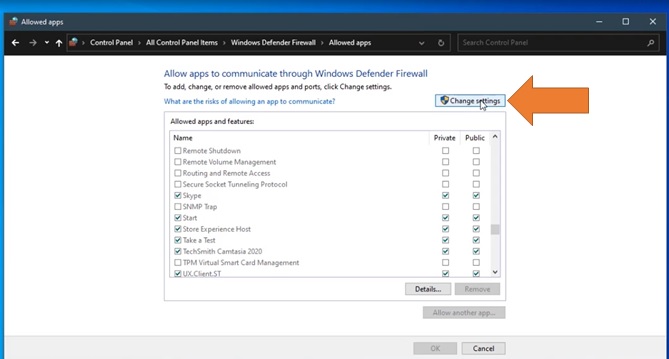
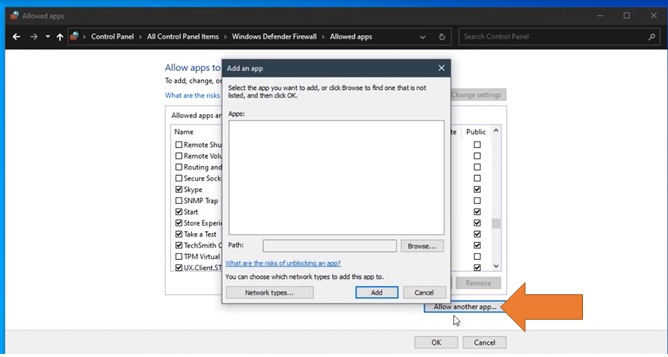
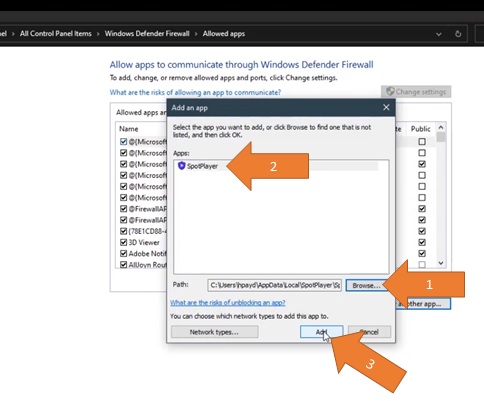
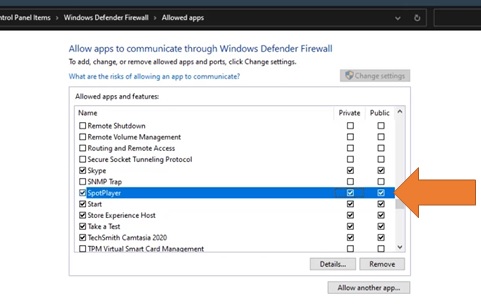
How to add SpotPlayer as a trusted App in Windows